FTPbox Hardcoded Credentials
It was a normal bug hunting session. I started with my usual reconnaissance, running tools to gather subdomains until I had a solid subs.txt list. The next step was to run a tool to take screenshots of all of them to see what I was dealing with.
While scrolling through the results, one stood out: data.sub.domain.com. No landing page, no login just a raw Apache Directory Listing exposing thousands of public files and directories.
The server was packed with .pdf and .jpeg files across tons of directories. I also found several .db files named Thumbs.db, but they were empty.
Windows uses
Thumbs.dbfiles as a cache for image thumbnails.
At first glance, it seemed like an ordinary public file server. However, after some intensive regex filtering and extension listing, I hit something that definitely shouldn't be public: profiles.conf.
Inside, I found a JSON configuration file:
[
  {
    "Ignored": {
      "Folders": [
        "databases/databases",
        ...
        "GOV/GOV",
        "NOV/NOV",
        "Av/Av",
      ],
      "Extensions": [],
      "Dotfiles": false,
      "Tempfiles": true
    },
    "Log": {
      "Items": [],
      "Folders": []
    },
    "Account": {
      "KeepAliveInterval": 10,
      "SyncDirection": 2,
      "TempFilePrefix": "~ftpb_",
      "Host": "sub.sub.domain.com",
      "Username": "******",
      "Password": "Qm/ozOlvp+rzcCwZmv3eYo==",
      "Port": 21,
      "Protocol": 0,
      "FtpsMethod": 0,
      "SyncMethod": 0,
      "SyncFrequency": 10,
      "PrivateKeyFile": null
    },
    "Paths": {
      "Remote": "/",
      "Local": "D:\\FTPbox_263_Portable",
      "Parent": "data.sub.domain.com/"
    }
  }
]
Okay, this was clearly for an FTP service but why was it here? The password contained / and +, which suggested it wasn't just simple Base64-encoded plaintext. I tried using the string as-is, but of course, it didn't work.
Then I noticed the local path: D:\\FTPbox_263_Portable. This was the key. A quick search revealed that FTPbox is an open-source project that hasn't been updated in years. I went straight to the source code to understand why profiles.conf existed and why the password was stored there!
It turns out the app caches credentials for a faster login experience:
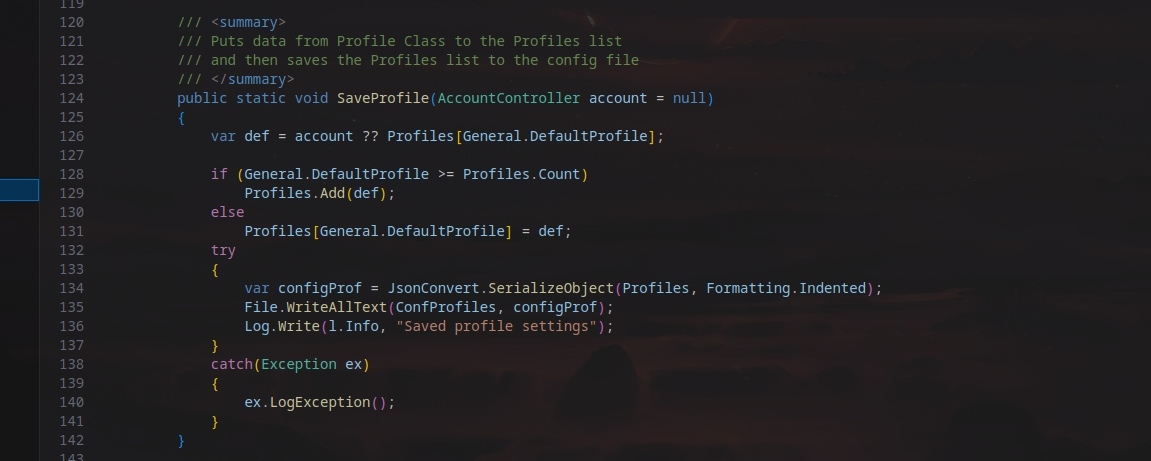
While auditing the code, I found something hilarious: The AES Key and IV were seemingly hardcoded!
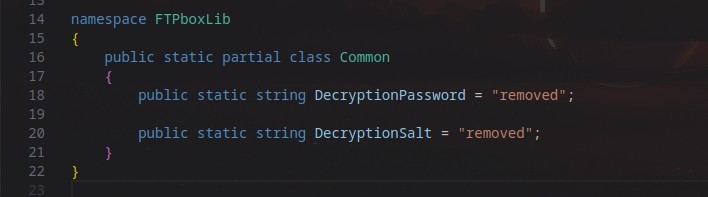
The GitHub Dead-end
The source code showed the word "removed" in place of the keys. Since AES requires a 16 or 32-byte key, I knew "removed" was just a placeholder.
At this point, I had a plan: I could simply download the compiled version of this application and reverse engineer it to extract the keys. But before doing that, I thought I’d try a "lazier" and faster route. I figured if the developer had hardcoded the keys and then "removed" them, they must still exist in the GitHub commit history.
I spent some time digging through old commits, hoping to find the exact moment those keys were deleted from the public repo. But after searching through the history, I found nothing it was a dead end.

Reverse Engineering
Since the GitHub history was clean, it was time to go back to my original plan. Since the application is built on .NET, I knew that no matter what the public source code says, the keys must be baked into the compiled binaries they are actually shipping to users.
so i downloaded the exact version of the application used by the target:
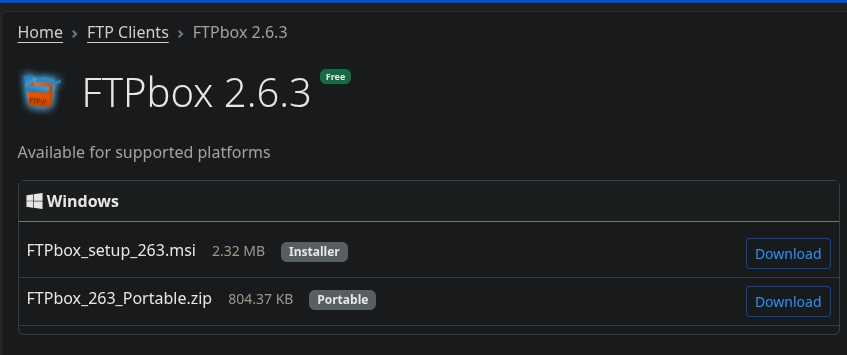
Fun fact: This is the latest version available, even though it hasn't been updated since 2015. Talk about legacy security.
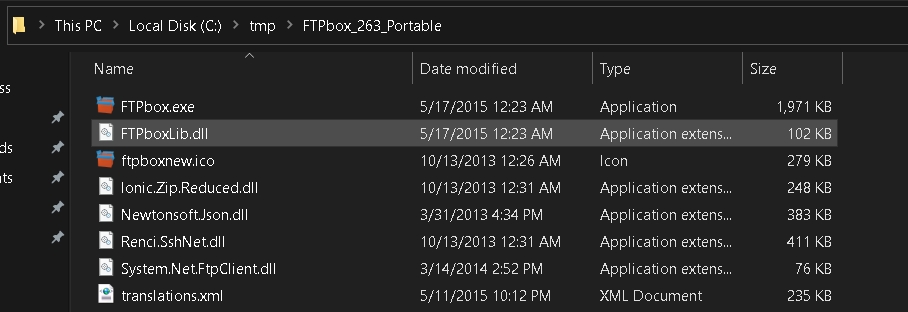
Since I had already audited the source code, I knew exactly which library handled the "dirty work." I grabbed FTPboxlib.dll and tossed it into dnSpy.
dnSpy decompiles .NET binaries back into readable source code
I navigated straight to the encryption class. I didn't even have to scroll.
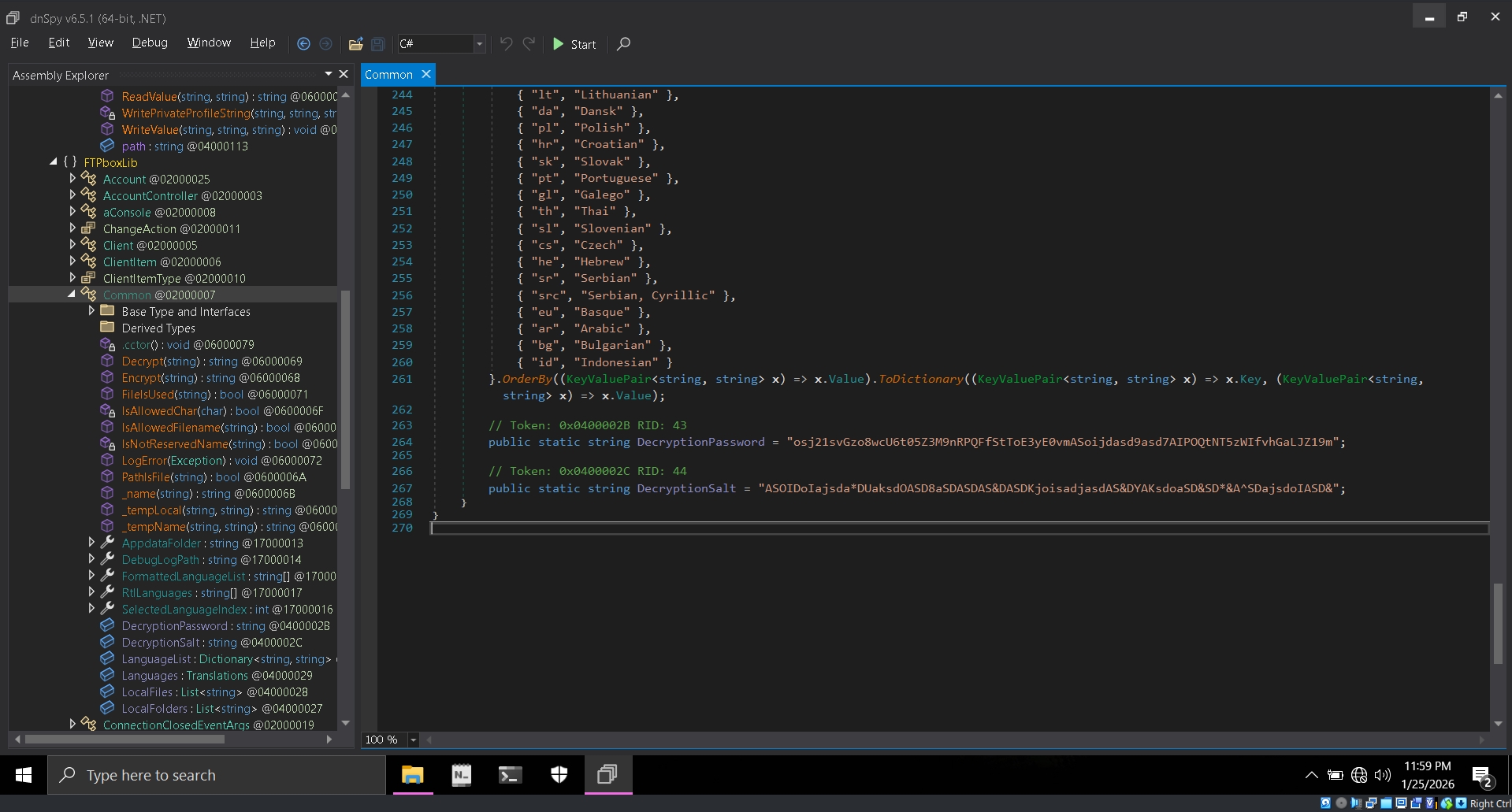
There they were. The hardcoded Key and IV, sitting right there in plain sight. so these keys aren't just for this specific server; they are the same keys used by every single user on this version of the app.
Cracking the Vault
Now for the final piece of the puzzle. I wrote a quick C# script, plugged in the recovered keys, and fed it the encrypted string Qm/ozOlvp+rzcCwZmv3eYo==.
The result? It was surprisingly smooth. The encryption crumbled instantly.
The Jackpot
I took the decrypted password and tried it on the FTP server. I was in. Not only did I have full Read/Write permissions, but I soon realized the rabbit hole went deeper:
- Credential Reuse: Multiple other services hosted on the same IP were using the exact same credentials.
- Massive Data Exposure: The FTP server was a graveyard of private files.
The ability to upload files to an ASP.NET environment potentially leads to Remote Code Execution
Looking back, the writeup makes it seem like a 5-minute job, but the reality was hours of research, trial and error, and a lot of caffeine.